
If your organization uses Microsoft 365, or you are signed into another application that uses Microsoft 365, you may need to use different account to access the OHA applications.
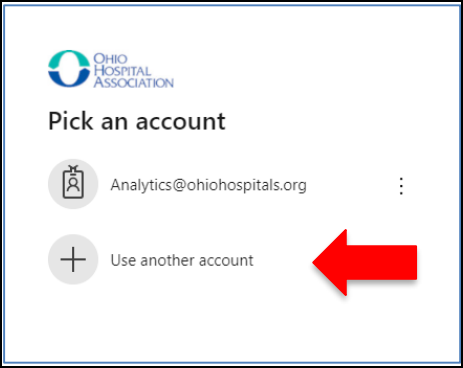
Option 1: Switch Accounts from the Sign-In Screen
Follow the instructions below.
- Return to the sign in screen.
- Choose "Use Another Account"
- Login with your OHA username and password.
Option 2: If You Don’t See the “Pick an Account” Screen
Some organizations restrict access to the Pick an account screen. If this happens, follow these steps:
- Go to https://myaccount.microsoft.com/
- In the top right corner, select your profile icon.
- At the bottom of the drop-down menu, select Sign in with a different account.
- On the next screen, select Use another account.
- Login with your OHA username and password.
Note: Your OHA username ends with @myoha.org